DPD Now Supports Groups in Mailchimp Lists
- Jason
- DPD Updates, Feature Spotlight, Integrations

Store Group
If you want to use the same mailing list across multiple stores, DPD now lets you put all purchases from a specific store into a Mailchimp group. By using a store group you'll be able to segment sending to your list shared across multiple stores by the store they purchased from.Product Groups
We've also added the ability to assign a group to the purchase of specific products. This will allow you to laser focus your campaigns to a specific product or products purchased.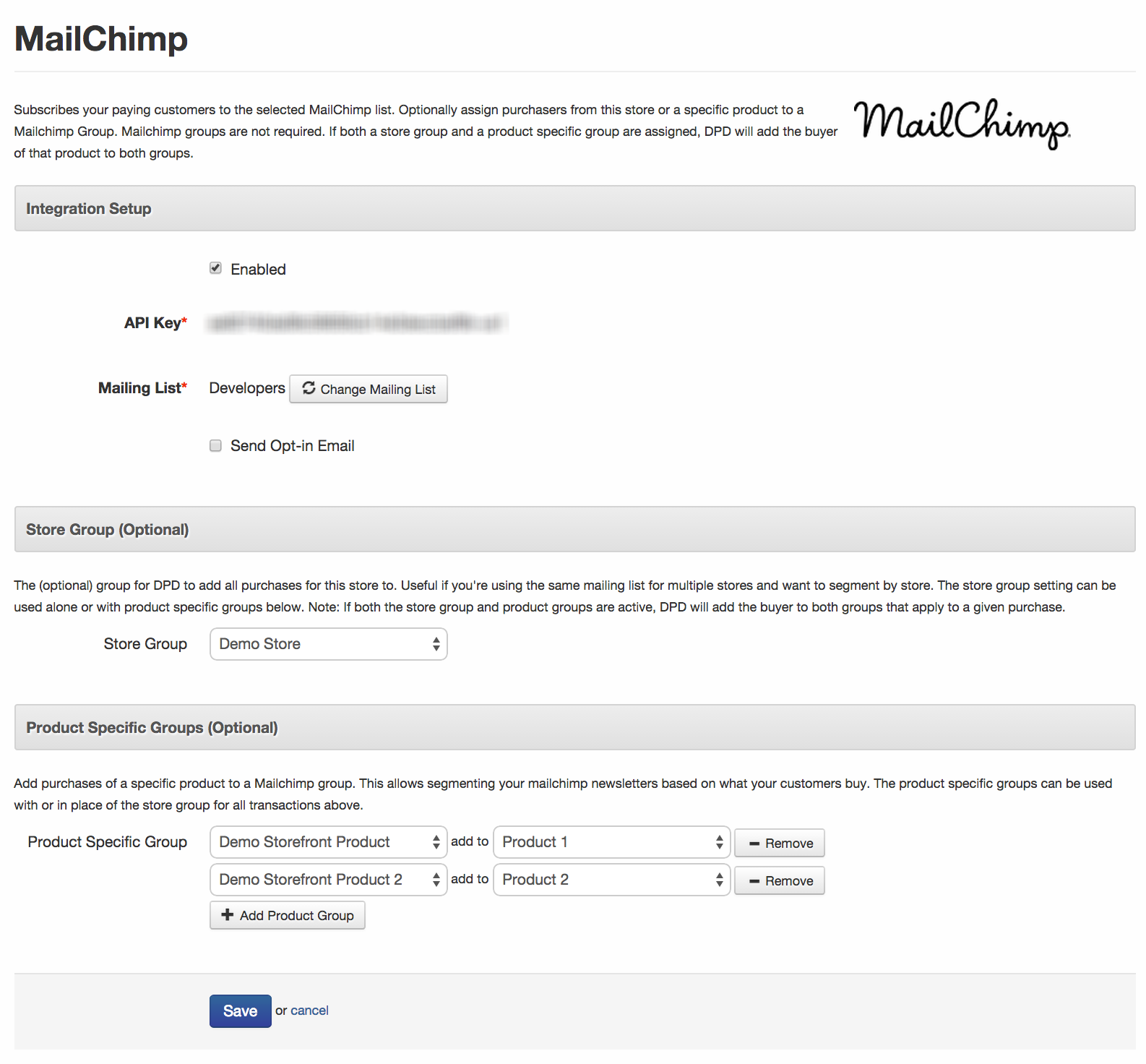
Using Mailchimp Groups with DPD:
1. Set up your groups in Mailchimp. 2. Log in to DPD and go to Integrations in the left menu of DPD. 3. Add a new Mailchimp integration, or edit your existing integration. 4. Once you have entered your Mailchimp API key and selected your list DPD will automatically pull in the groups for the selected mailing list. 5. Simply assign which group you would like all purchases in the store to be assigned to under Store Group and/or add product specific rules below by selecting the product and then selecting which group we should tag the subscriber with. You can use any combination of the store group and product specific groups (or just one or the other) at once.Start Your 30-Day Free Trial Today.
No Commitments. Cancel Any Time.
Not ready to commit yet? We understand. Start a 30-day trial of our e-book publishing platform for FREE and explore how it can help you sell e-books, digital products, and downloadable content. No credit card required.
If you’re not happy with our online publishing platform, you can cancel at any time. No questions asked. That’s how confident we are with our product.