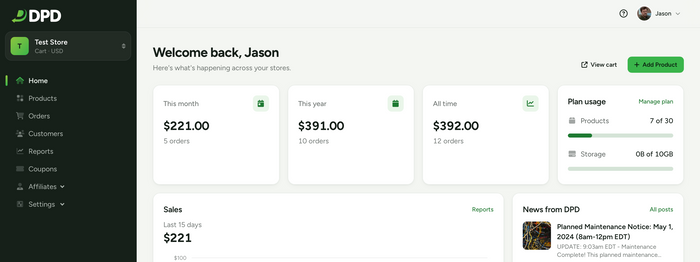
A Refreshed DPD Vendor Dashboard
- Jason
- DPD Updates, Feature Spotlight
This week we're rolling out a major visual and usability overhaul across the DPD vendor control panel! Over the past few months, we've been working hard to give DPD a cleaner, faster, and more modern interface that makes running your online store smoother every day. Here is a breakdown of what's new and what to look for when you log in. Manage Your Store From Your Phone The biggest change in this release is one you'll notice the moment you log in on a phone or tablet: the DPD vendor admin is now fully mobile-friendly. We've always supported mobile devices, but with this update we've completely rethought the mobile experience. We've gone through the entire control panel, page by page, and made sure that every element works on any screen size. Works on any screen size: Layouts automatically reflow to fit phones, tablets, and desktops. No more pinching, zooming, or...