Tag

DPD Updates

Put Your DPD Cart Right on Your Own Website

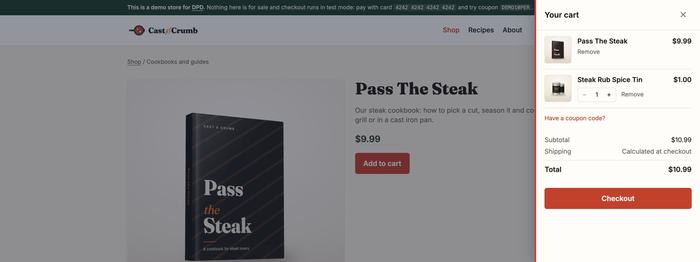
You can now put your products, add to cart buttons and a full cart right on your own website, with no iframe or popup. Shoppers browse, add items, change quantities and apply a coupon without ever leaving your page. When they're ready to pay, they go to your DPD hosted checkout like they always have. The fastest way to see it is to try it. We rebuilt our demo page on the new components, so you can add a few products, try a coupon and restyle everything live: Try the live demo at getdpd.com/demo → See It on a Real Store We also built a whole store with it. Cast & Crumb is a made-up cooking shop, a plain static site on GitHub Pages. Every product card, buy button and the cart on it come from these components, styled to match the shop, and checkout goes to the store's own...
Read more »

A Refreshed DPD Vendor Dashboard

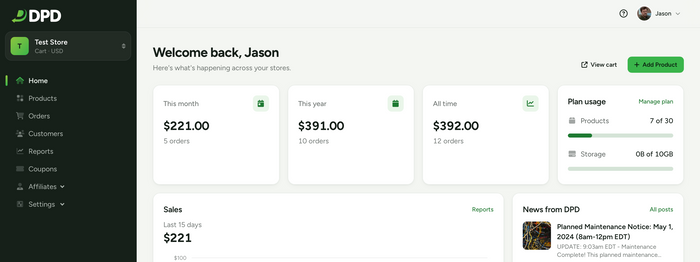
This week we're rolling out a major visual and usability overhaul across the DPD vendor control panel! Over the past few months, we've been working hard to give DPD a cleaner, faster, and more modern interface that makes running your online store smoother every day. Here is a breakdown of what's new and what to look for when you log in. Manage Your Store From Your Phone The biggest change in this release is one you'll notice the moment you log in on a phone or tablet: the DPD vendor admin is now fully mobile-friendly. We've always supported mobile devices, but with this update we've completely rethought the mobile experience. We've gone through the entire control panel, page by page, and made sure that every element works on any screen size. Works on any screen size: Layouts automatically reflow to fit phones, tablets, and desktops. No more pinching, zooming, or...

Read more »

Two-Factor Authentication (2FA) Available

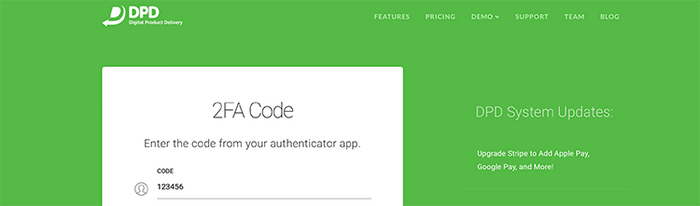
Enhance the security of your account with Two-Factor Authentication available now on your DPD account. Two-factor authentication (2FA) is designed to make sure that you're the only person who can access your account. It does this by requiring a code from an authentication app on your phone or computer to complete log in.  Two-factor authentication methods rely on a user providing their account password as the first factor and a second, different factor. In the case of DPD the second factor is a passcode generated by your authenticator app. Two-factor authentication adds an additional layer of security to the authentication process by making it harder for attackers to gain access to a person's devices or online accounts. Even if your password is hacked, a password alone is not enough to pass the authentication check. Setup is straightforward: Log in to DPD. Go to the User Menu in the top right...

Read more »

Upgrade Stripe to Add Apple Pay, Google Pay, and More!

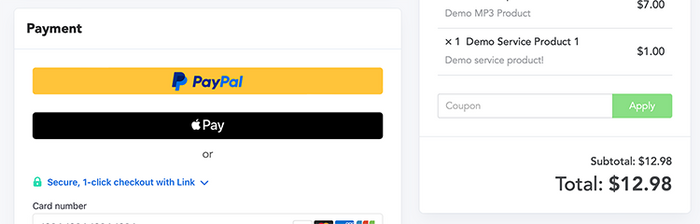
We know we've been a little quiet lately on the update front, but thats because we've been working on big things! We've released a major upgrade for Stripe for product stores that adds Apple Pay, Google Pay, Link, and more to the DPD checkout. We've also added enhanced order and account management features in the DPD admin. A Refined (more) Mobile Friendly Payment Flow All modern themes for the DPD checkout have always been built for mobile, but we've made it even better! In addition to fixing some spacing and minor style inconsistency issues on mobile checkout, gone is the old payment method selection for PayPal + Card methods. Now we display a mobile friendly PayPal button for PayPal Standard / Express above the card form. This works great when paired with the next new feature.... Upgraded Stripe supports Apple Pay and Google Pay! Once you've upgraded stripe your DPD...

Read more »

New Status Page: Sign up for Notifications!

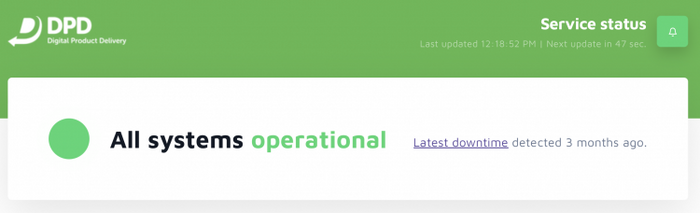
This is just a quick note to let you know we've updated our status page provider, so if you want to receive notifications when system status changes please visit https://status.getdpd.com and click the bell icon in the top right to sign up! System notifications include things like service status changes, planned maintenance events, and... the unfortunate occasional outage. Don't worry though- DPD is currently sitting at 100% uptime for the past 90 day rolling window!

Read more »

DPD Update: Sub-Users!

In today's update we've added the ability for vendors to create sub-user accounts for employees or assistants to help manage your products and/or customer service functions. Currently sub-users are supported for product stores only. Vendors create sub-users from their profile menu: Sub-Users have two available permissions: Customer Service: Includes access to Customers, Orders, and Coupons modules. Product Management: Includes access to the Product modules and can edit all aspects of products (or delete them). Can also send product updates, add product keys, replace uploaded files, etc. Sub-users can have one of the above permissions or both. Sub-users will never have access to your store settings, payment processors, integration setup, account billing information, etc. Managing Sub-Users: Vendors can activate or deactivate sub-users, edit sub-user account information (email, password), and change permissions at any time. Sub-users will see a different dashboard view based on their permissions. We encourage any vendor looking to add sub-users...

Read more »

Coming Next Week: All New Vendor Admin

We're making this post ahead of the update (scheduled for Monday, Jan 7th) so everyone will have a bit of a heads up before the log in and everything looks different. We know change is kinda scary, but we promise this one is a good one. We've made it easier to find things, cleaned up the design and navigation, and gave everything a modern facelift! Simplified Navigation DPD's navigation was getting cluttered with years of adding new features to our top-level navigation menu. Most stores had over 25 menu items in the main menu alone, and then sometimes multiple sub-pages and menus to get to the option you needed. It was a real drag, and features are cool and all but if you can't find them when you need them that's no good either. So, we've cleaned that up quite a bit! The new navigation shows what module you're working...

Read more »

DPD Update: Updates to Device Based Activation based on vendor feedback- we're listening!

In our previous update we introduced Device Based Activation as an upgrade to our old attempt based system, which created customer service issues for some vendors having to reactivate download links for customers. We've had varying feedback from the thousands of vendors using our platform- everything from "thank you I'm so tired of reactivating customers" to "ugh this won't work because I relied on the old system's behavior in my sales strategy." There was even some "this is new and I don't like anything new I hate you now!" sprinkled in, much like we get with most updates. First I want to explain our reasoning for the change, and what we're doing to accommodate those vendors who do special things with delivery. Why Device Based Activation anyway? The #1 complaint we get in support and on twitter is that vendors are tired of reactivating old download links. We get it-...

Read more »

New Features! Custom Templates and Customer Info Collection for Free Products

Would you like that a bit more blue? How about making the fonts a nice shade of green? Want to scrap what we gave you and start from scratch? Now you can! DPD now supports full cart and delivery page customization for all 20 product or more plans. We have two different ways to do it for your customization pleasure: Basic color and the advanced full template customization. To get started, go to the Look and Feel page of your website profile and open up a template editor: Basic: Color Customization Not so keen on the HTML and CSS? No problem- Go the easy route and pick 11 glorious colors to make the default template look a little more like your site. Advanced: Full Template Customization For the artistic and technical types we offer full template customization so you can customize how your cart and delivery pages look down to...

Read more »

DPD Update: New Vendor Control Panel

This morning we published an update that introduced an all new vendor control panel. This fluid, full width admin interface makes better use of widescreen monitors and higher resolution displays- something our server usage stats tell us that most vendors are moving toward. We've also made a couple usability improvements that we hope will make things easier to understand for everyone that uses DPD to sell downloads. New Vendor Control Panel The new vendor control panel is based on the 960gs system and is a fluid, full width template that uses 100% of your monitor instead of the bit in the middle. This gives us the ability to pack more information on a screen, reduces scrolling, and gives us lots of places to stick new features :) Of note in the new admin interface is the side navigation- we've moved all commonly used vendor functions to the left sidebar for...

Read more »